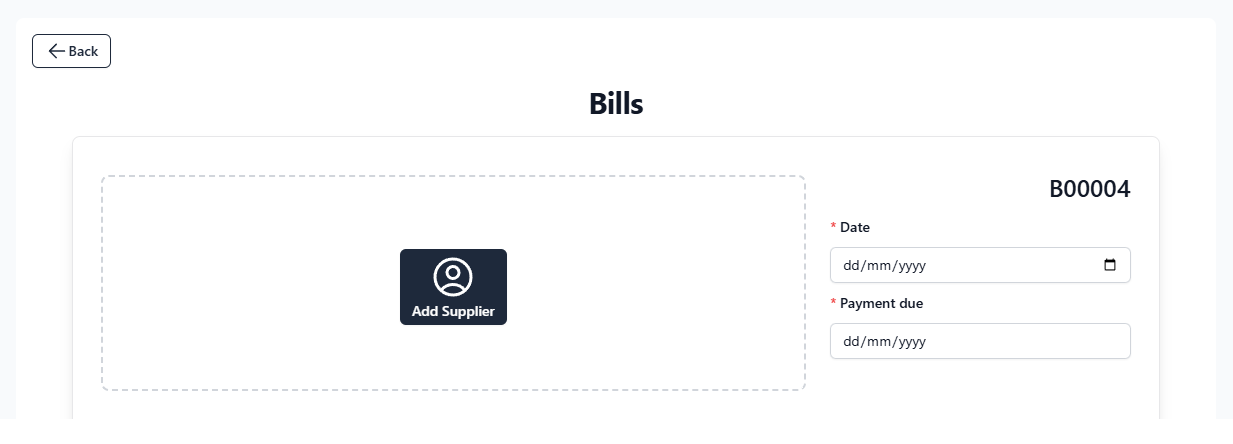
Click Add Supplier to choose from an existing contact, or ‘create a new supplier.’
Bill Info:
Date: The bill issuance date.
Payment Due: The expected payment date to the supplier.
Items/Services:
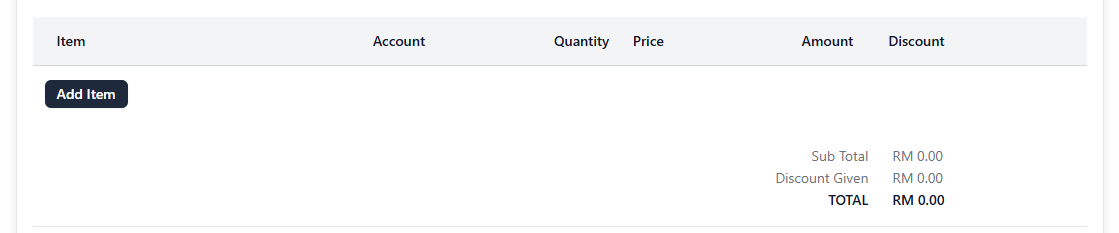
Click Add Item to include products or services related to the bill. Or ‘Create a New Item’
You can modify:
Item Name
Account (e.g., Cost of Goods Sold, Marketing Expenses)
Quantity
Unit Price
Discount (if applicable)
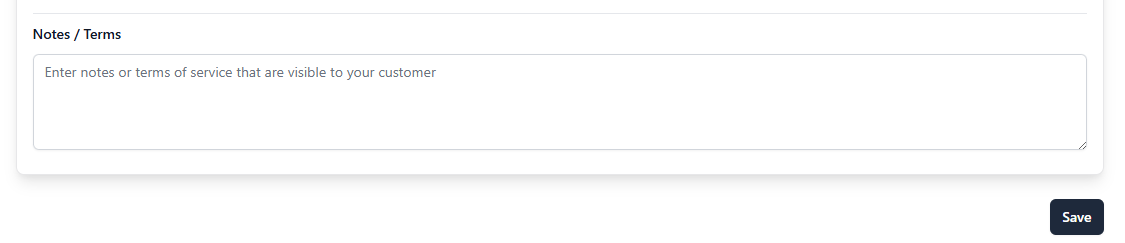
Notes / Terms:
You may include any notes related to the bill (e.g., payment terms, internal reference)
💡 Example:
Kindly ensure that all goods/services are delivered as agreed. Payment will be made based on 30 days from invoice date. Kindly notify us immediately for any discrepancies.
Saving the Bill:
Once all details are filled in:
Click Save
The bill will now appear in the Bills listing with status and amount info
We use cookies to personalize your experience. By continuing to visit this website you agree to our use of cookies